
Complementary Unbound
Complementary Unbound is the natural looking Complementary style for Minecraft Java Edition. Richer light, clearer weather, and less of a painted filter than a heavy showcase grade. Latest stable builds are r5.9.3.
Download the ZIP, enable it with Iris or OptiFine, then compare caves and rain before you raise Ultra. If you want a stronger grade for builds, look at Reimagined instead.
Unbound snapshot
- Style
- Complementary Unbound
- Latest version
- r5.9.3
- Edition
- Minecraft Java Edition
- Loaders
- Iris, OptiFine
- Mood
- Natural default lighting
How Unbound looks in game
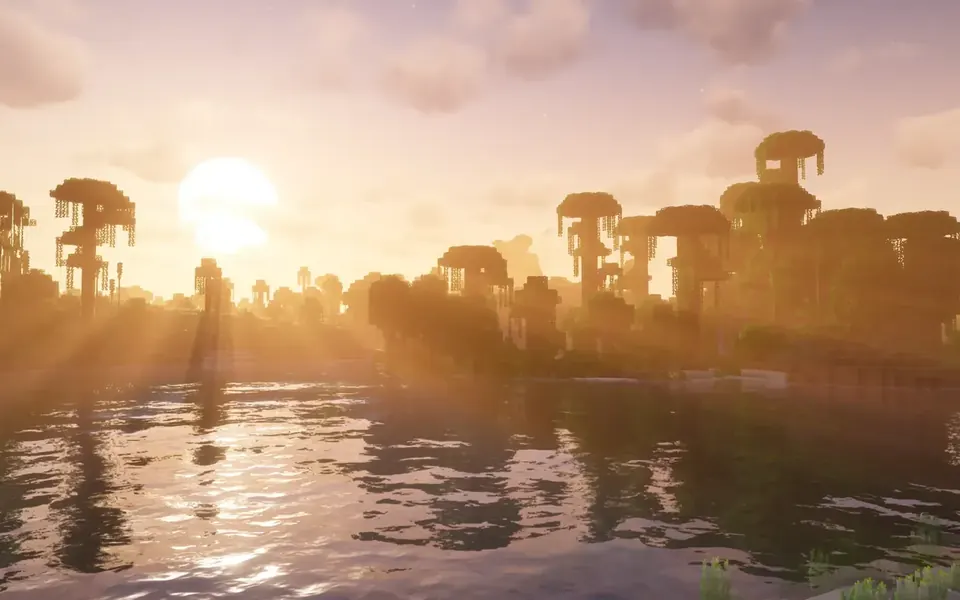
Unbound keeps Minecraft block colors readable while upgrading sunlight, shadows, clouds, and water. Biomes still feel like the vanilla map, just with deeper atmosphere at dawn, noon, and dusk.
Caves gain clearer light falloff. Rain and fog read as weather instead of a flat filter. That balance helps survival players who still need to spot mobs, ores, and build edges.
Who should use Complementary Unbound
Choose Unbound if you spend most sessions outdoors in survival: forests at noon, rainy villages, and long boat trips where you still need to spot mobs and terrain edges.
Skip Unbound only if you already know you want a heavier grade for builds and screenshots, that is usually Reimagined territory. Confirm on the comparison page, then download from Unbound downloads.
Survival first
Natural contrast keeps gameplay readable in forests, deserts, and oceans.
Screenshot friendly
Golden hour and storm light look strong without extreme grading.
Easy comparison
Same options language as Reimagined, so switching styles stays simple.
Settings tips for Unbound
Start on Medium. Raise shadow quality and volumetric fog only after FPS stays stable in your home biome and in the Nether.
If nights feel too dark for your play style, raise ambient light slightly before you jump a full quality preset. Small tweaks often beat Ultra for daily play.
Potato mode exists for weak GPUs. Use it when Unbound stutters at Medium.
Download and install Unbound
Download Complementary Unbound from the Unbound download page. Keep the ZIP intact, place it in shaderpacks, and enable it through Iris or OptiFine.
New to loaders? Follow Iris shaders for Complementary or the general install guide.
- Download Complementary Unbound r5.9.3.
- Install Iris (recommended) or OptiFine.
- Drop the ZIP into .minecraft/shaderpacks.
- Select Unbound in Video Settings > Shaders.
- Pick a profile and test outdoors plus underground.
A practical Unbound workflow
Download Unbound, install with Iris, validate caves and rain, then tune with settings.
Want more stylized color later? Try Reimagined beside it and compare at the same profile.
Common questions
What to do next
-
Download this style
Get the ZIP
-
Install with Iris
Enable the pack
-
Compare styles
Unbound versus Reimagined
-
Other style download
Keep both if you like
-
Other style guide
Read the other look